-
Go to the project page
-
Click on the green "Code" button
-
Click on the "Open with GitHub Desktop" button
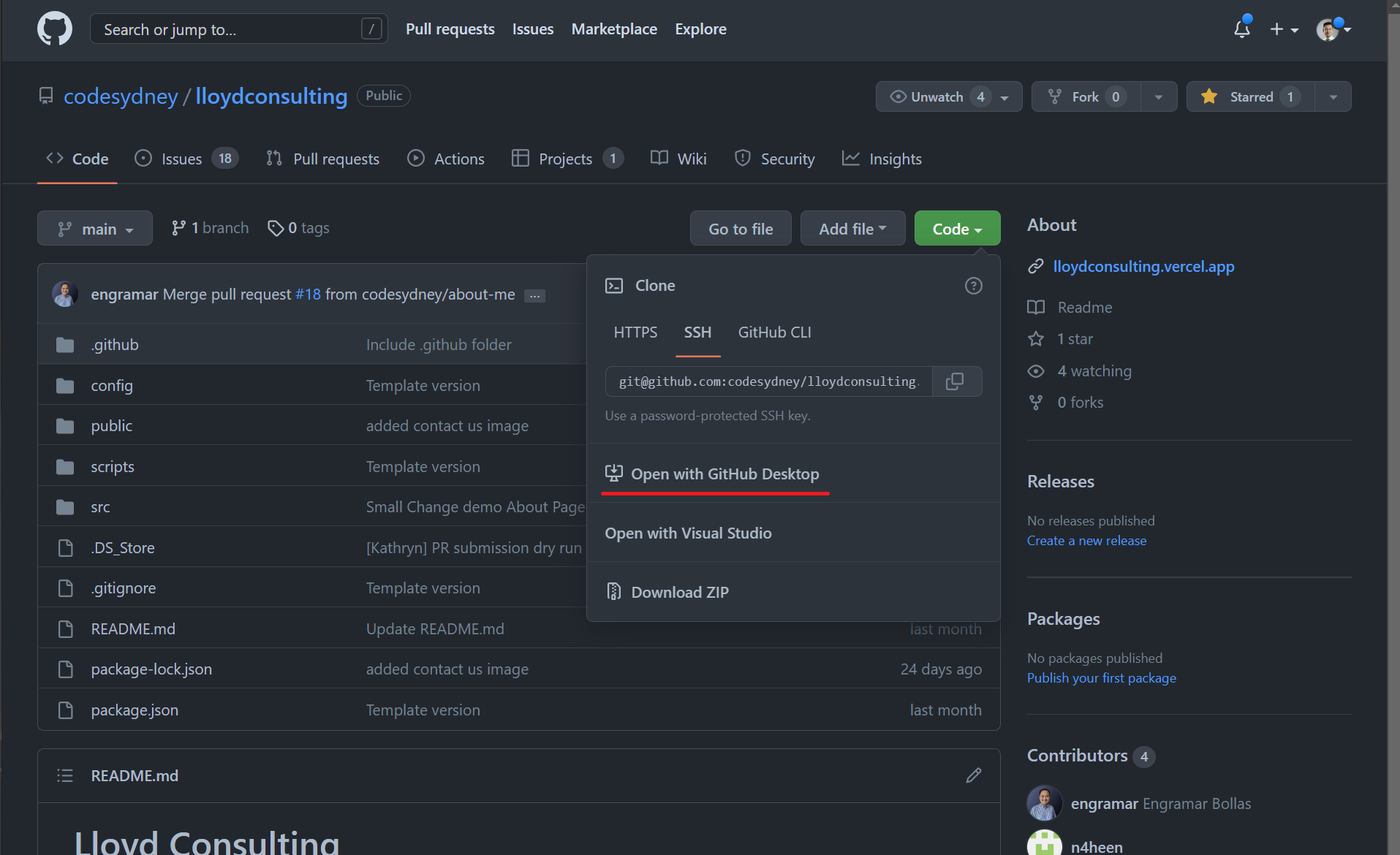
-
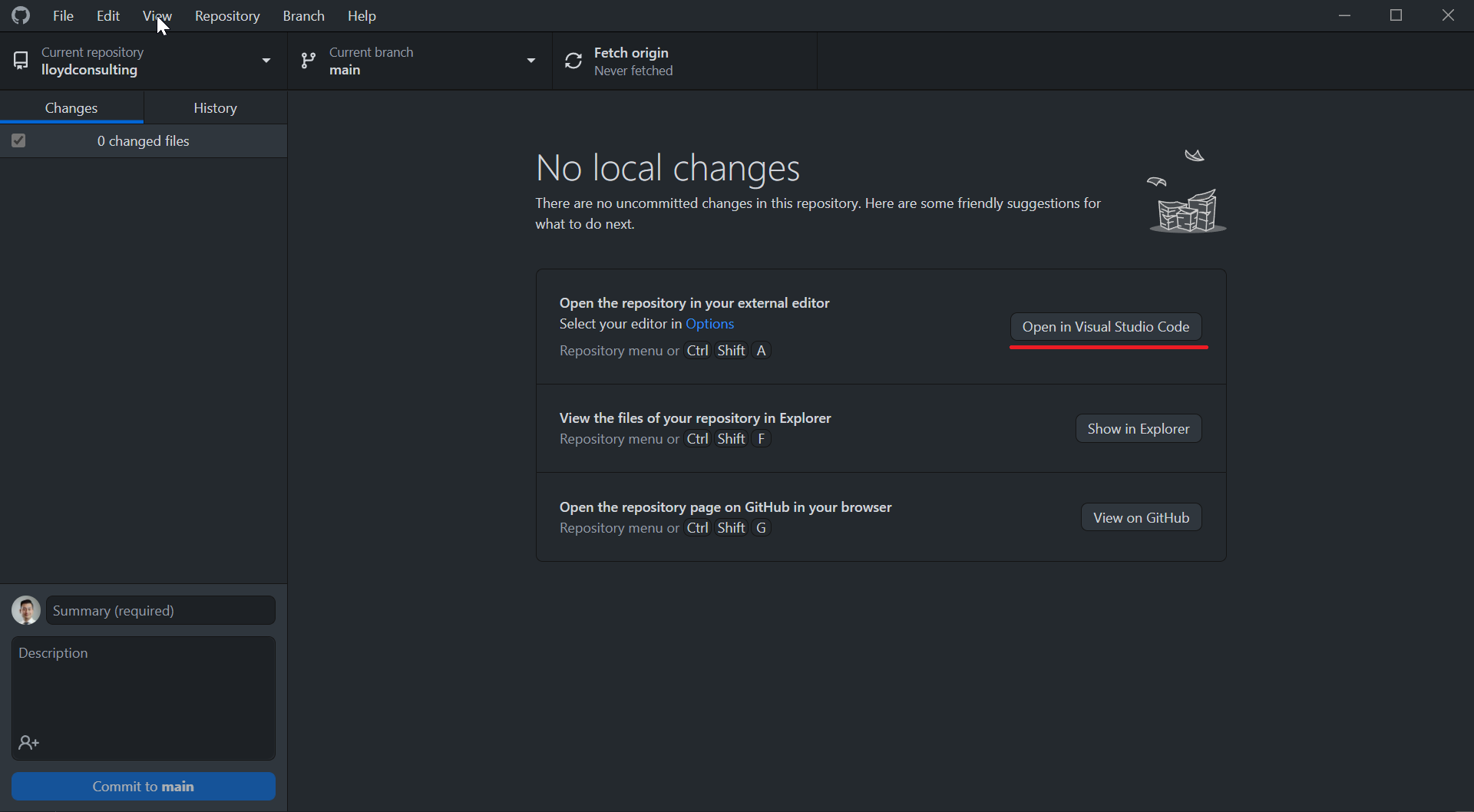
This should open GitHub Desktop. Follow the instrctions
-
Click on open in Visual Studio Code
Clone Repository
git clone git@github.com:codesydney/lloydconsulting.git
Change Folders
cd lloydconsulting
Open VS Code
code .
The easiest way is to have the project open in VS Code and use it's Terminal.
To do that you can use the keyboard shortcut ctrl+` or the menu view -> terminal.
Now you can run the commands below.
npm install
First, you'll need to navigate to the project folder with the command line or terminal.
Then you can run the project with npm run start.