
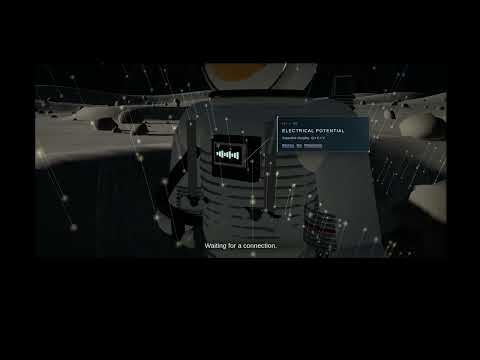
Watch the Lunar Charge Control demo on YouTube.
Interactive lunar electrostatics workbench built from the existing IIBIN Shopfloor application. Vue 3, Tailwind, Three.js, a deterministic simulation worker, and a Python/FastAPI backend using binary IIBIN WebSockets. The original valve inspection remains accessible at /shopfloor and /machines/valve-leak-test.
Clone the three repositories into the same parent directory; the demo uses the sibling codecs directly:
mkdir iibin-workspace
cd iibin-workspace
git clone https://github.com/Intelligent-Intern/iibin-py.git
git clone https://github.com/Intelligent-Intern/iibin-js.git
git clone https://github.com/Intelligent-Intern/iibin-demo.git
cd iibin-demo
make build
make up
Open http://localhost:5206. Stop with make down. The default CPU-only runtime does not load language or speech models. The database volume retains experimental records across restarts. For development without Docker, install requirements-runtime.txt and the sibling iibin-py, run Uvicorn on port 5207, and run npm run dev in frontend (port 5206).
The overview opens seven separate surfaces: Moon simulation, plasma, triboelectric contact, energy harvesting, electron emission, lander discharge, and the integrated EVA. Each offers editable parameters, scenarios, start/pause/reset, individual time steps, accelerated playback, immediate calculation, measured curves, saved-run comparison, parameter import/export and CSV data export. Changes to parameters take effect when applied or when starting a new run. They do not rewrite an existing saved result.
In the Moon scene, click the astronaut to move to the suit. Select a component, inspect its construction and open its matching workbench. Camera controls support orbit, pan and zoom; navigation back to the environment stays available. The scene consumes the same simulation state as the charts.
Open http://localhost:5206/lcc/moon and select Play cinematic presentation. The scene enters browser fullscreen, holds black for five seconds, then plays the English editorial sequence automatically. There are no player controls or cursor in the fullscreen scene. Escape returns to the interactive workbench. Replay starts a fresh demonstration without changing experiment parameters or saved runs.
The tour follows the supplied narration timestamps, from the Moon at 0:03 to the closing line at 4:13, with an eleven-second closing hold. Camera chapters inspect the boot electrodes, suit sensors, energy harvester, storage, electron emitter and lander discharge interface. Component callouts have animated leader lines; the spark at 3:00 flashes briefly and is crossed out. English captions carry the supplied script. Narration audio and orchestral music are separate production tracks.
The presentation uses a deterministic 120-second EVA calculated by the same simulation engine, with a −100 kV initial suit potential, −10 kV shadow reference and 300 MΩ discharge resistance. The editorial camera clock maps that run to the narration chapters. It pauses ordinary workbench playback. Particle streams distinguish electron collection, ions and photoemission; photoemission disappears in shadow. The emission stream is shown only while the calculated emitter is operating. Terrain, cloth, hardware, optical surfaces, suit assemblies and lander detail are generated locally; no external model or texture download is needed.
node tests/browser-presentation.mjsThis browser check verifies fullscreen and the five-second lead-in against real time, then advances the browser clock to inspect component chapters, spark rejection, the closing shot and restoration of the interactive view. It does not change application state or use a test-only playback path.
The engine uses SI internally, a 20 ms fixed clock, a monotone implicit plasma-current balance, discrete energy-bounded contact events and analytic current-limited RC transfer. Rendering and playback speed do not change the experiment. All chart values are calculated. Spatial field shells and particle markers illustrate the state; they are not a solution of the electromagnetic field equations. Model assumptions, energy sources, charge paths, losses and limits are documented in the physical model and shown in each workbench's Model & balance view. Architecture and integration records the relationship to the valve station.
Run the scientific and persistence tests:
make testAfter starting the application, run its automated browser smoke test (local Chrome required):
node tests/browser-smoke.mjsAll application data uses the existing /ws binary IIBIN connection. New lunar.runs.* operations persist immutable, versioned parameter sets and sampled results to SQLite. CSV and parameter files are generated in the browser. The saved records contain client-computed model results, not observations from physical hardware.
Optional existing voice features:
make build VOICE=1
make up VOICE=1           # auto-selects available NVIDIA support for Qwen
make down VOICE=1
This builds the larger voice image and enables the Ollama profile; initial use downloads the speech/text models. GPU=0 disables GPU use, GPU=1 requires the NVIDIA runtime. The voice assistant retains its valve-station command vocabulary; lunar control uses the visible experiment controls. Voice training, threads, audio and the original valve interlocks are described in the Shopfloor reference.