
A self-hosted help desk for teams that want full control. Single binary, batteries included.

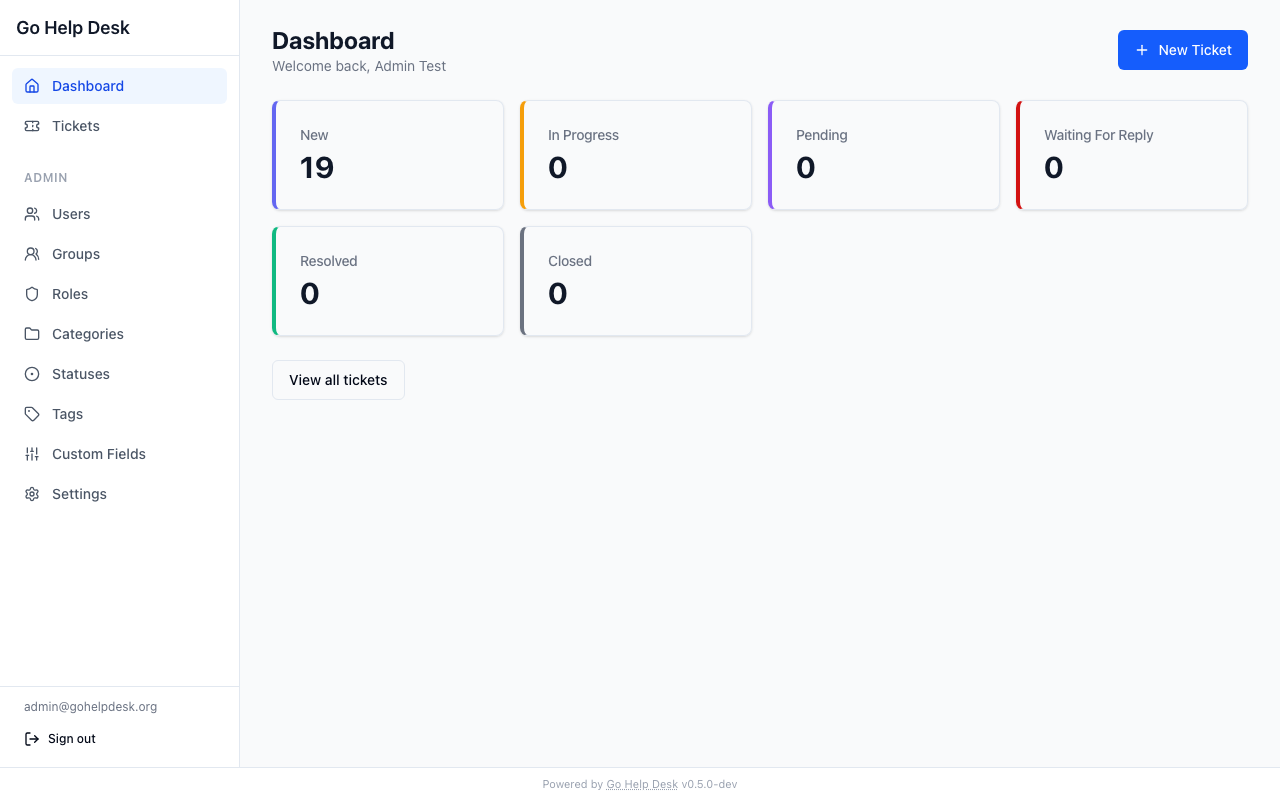
Go Help Desk is an open-source ticket management system. Staff submit and track support requests. Support teams triage, respond, and resolve them. Everything runs on your infrastructure.
- No cloud required. PostgreSQL + a single Go binary.
- No SaaS lock-in. Your data stays where you put it.
- Deploys in one command.
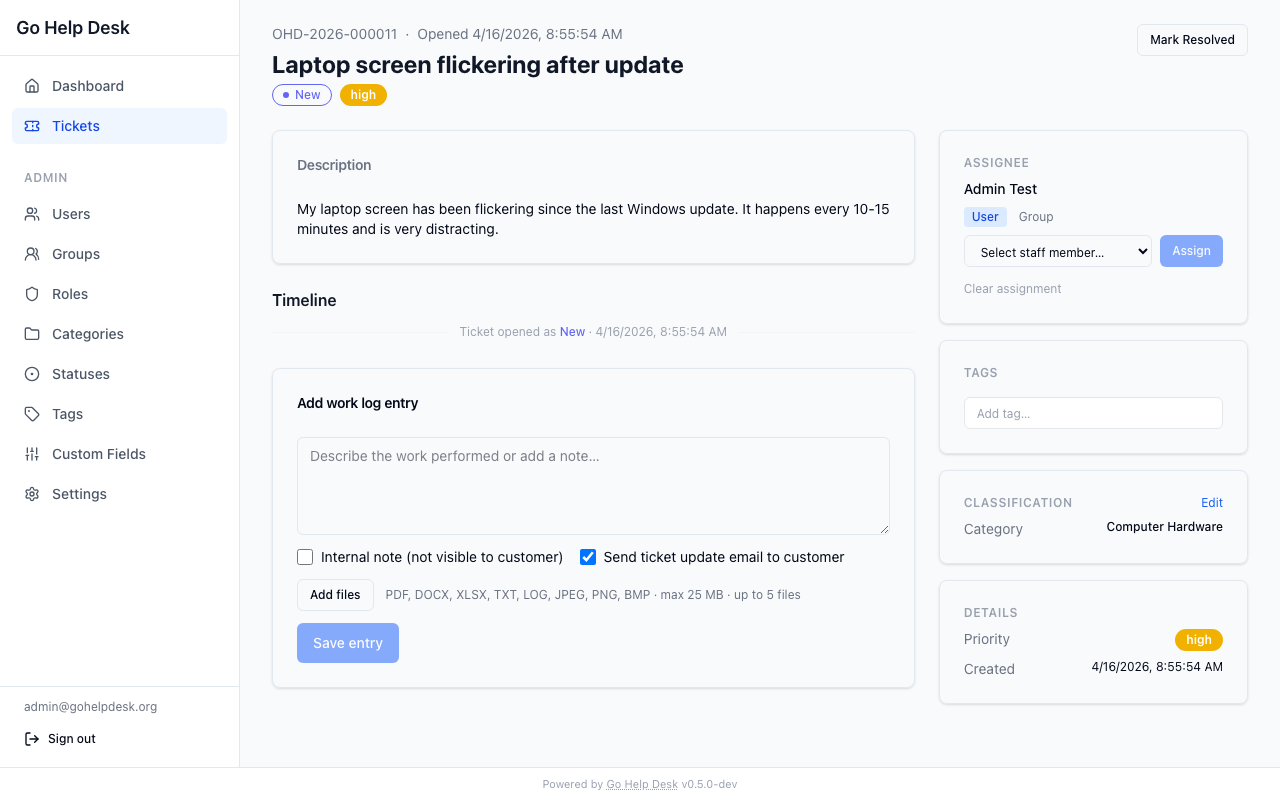
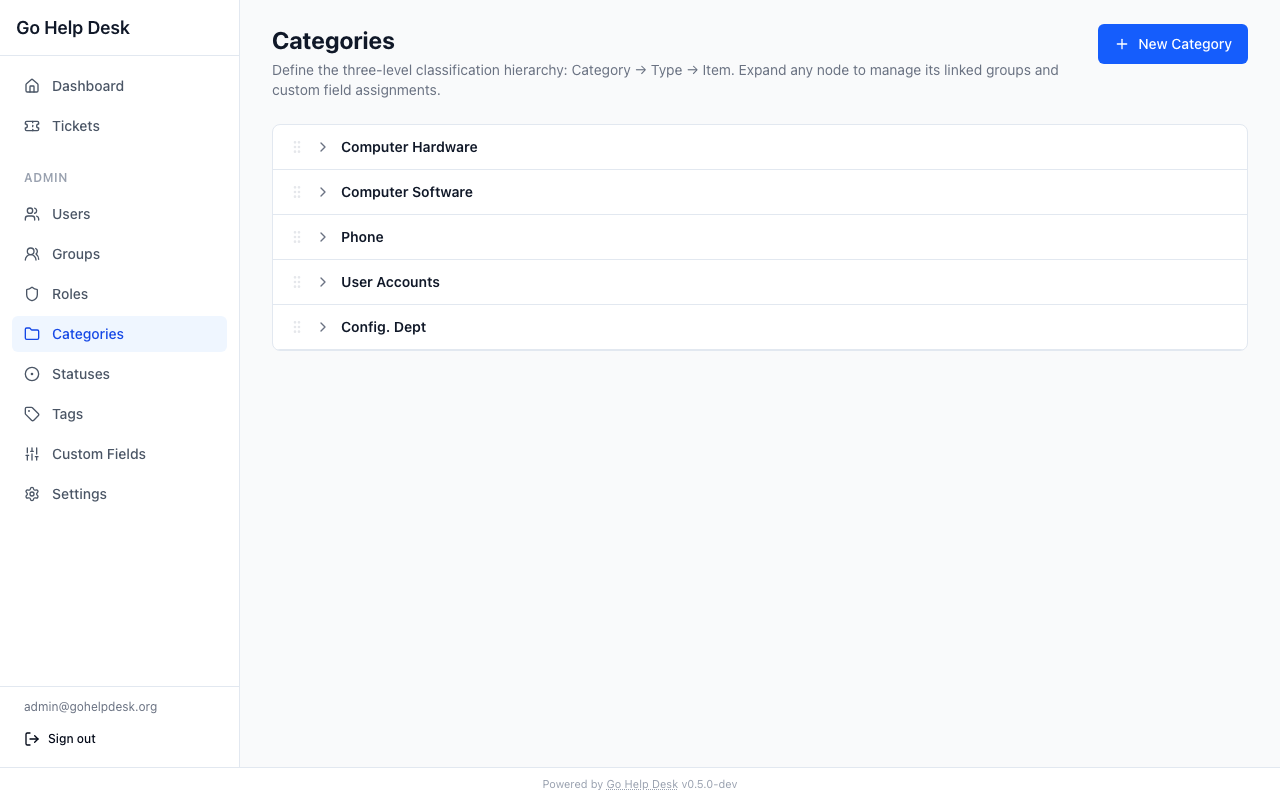
| Ticket detail | Admin — categories |
|---|---|
 |
 |
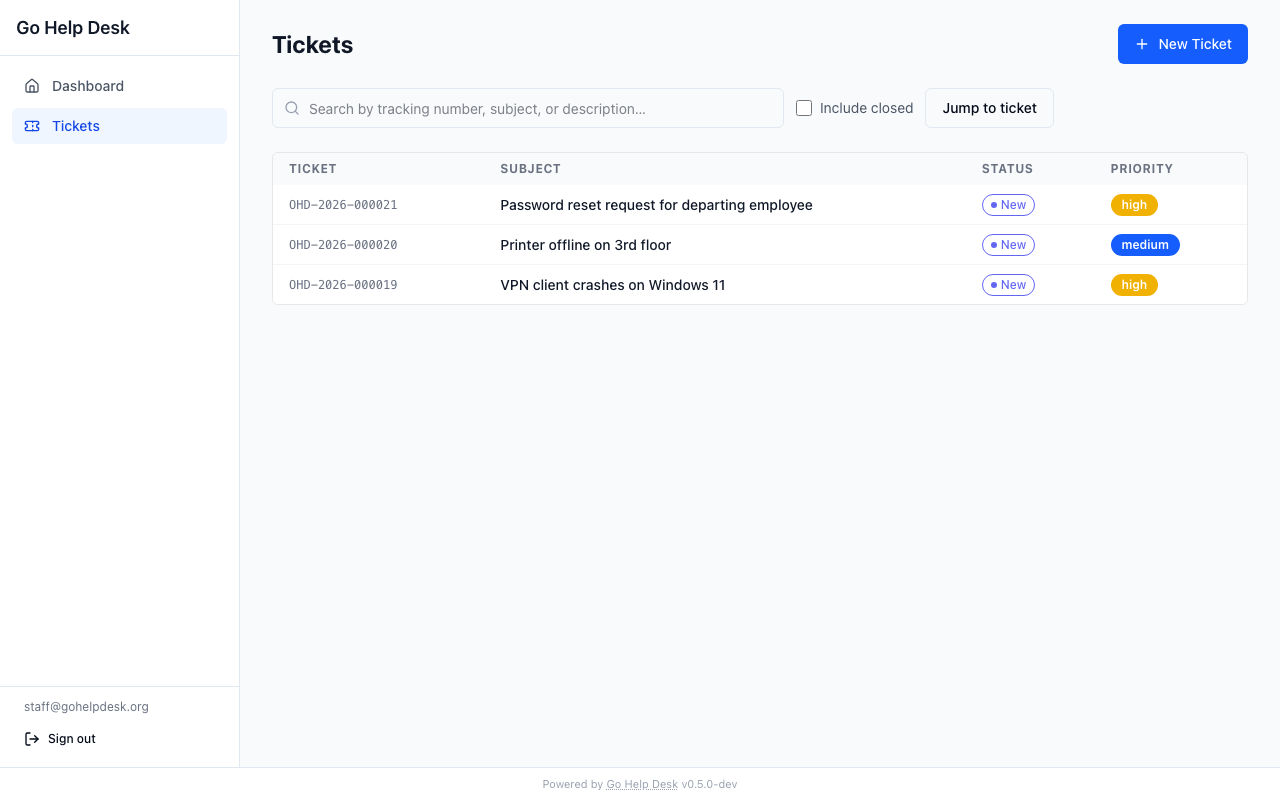
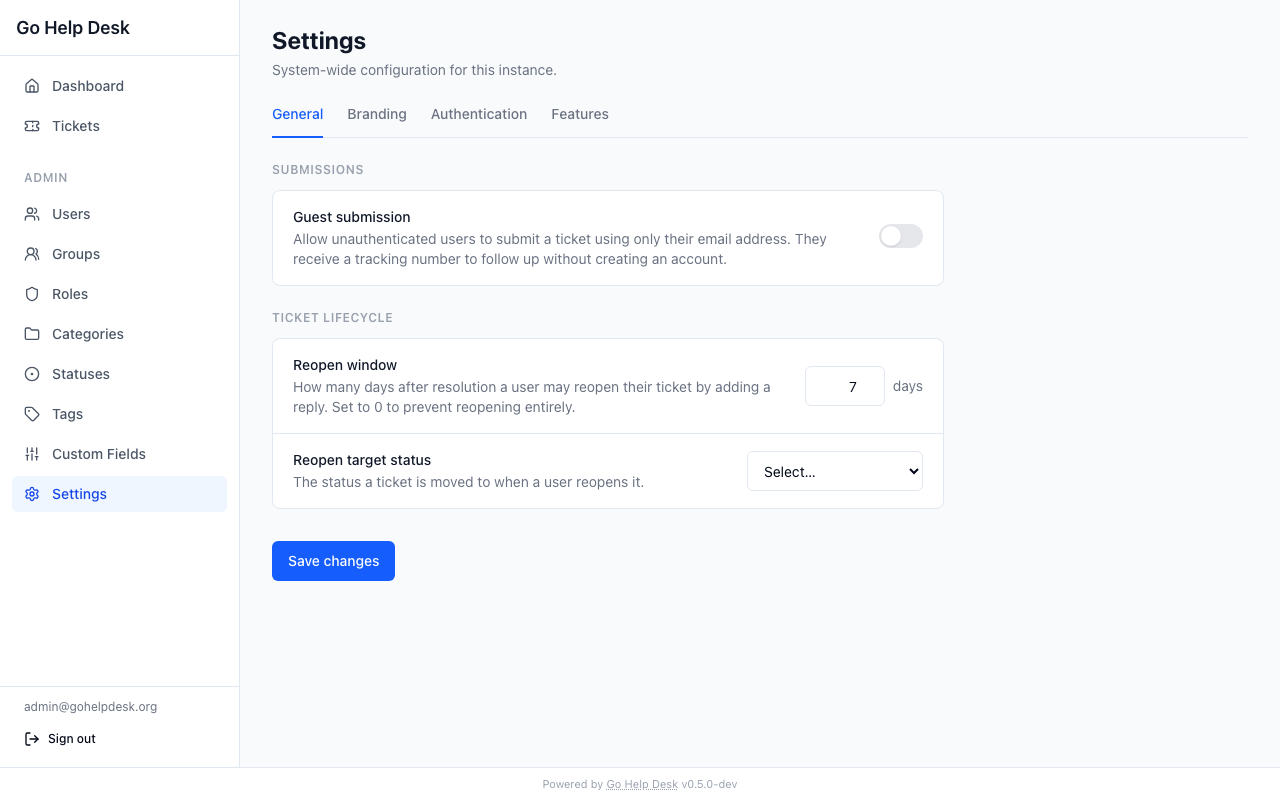
| Staff ticket list | Admin — settings |
 |
 |
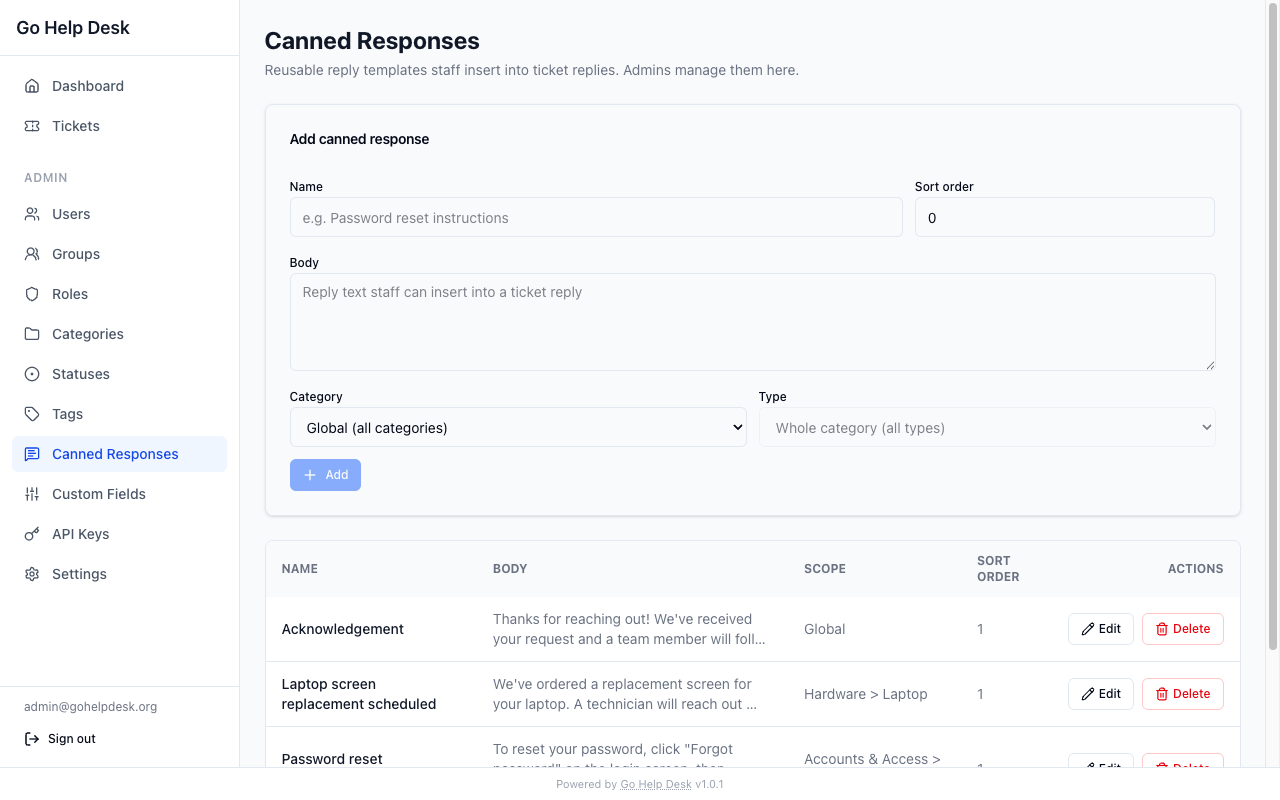
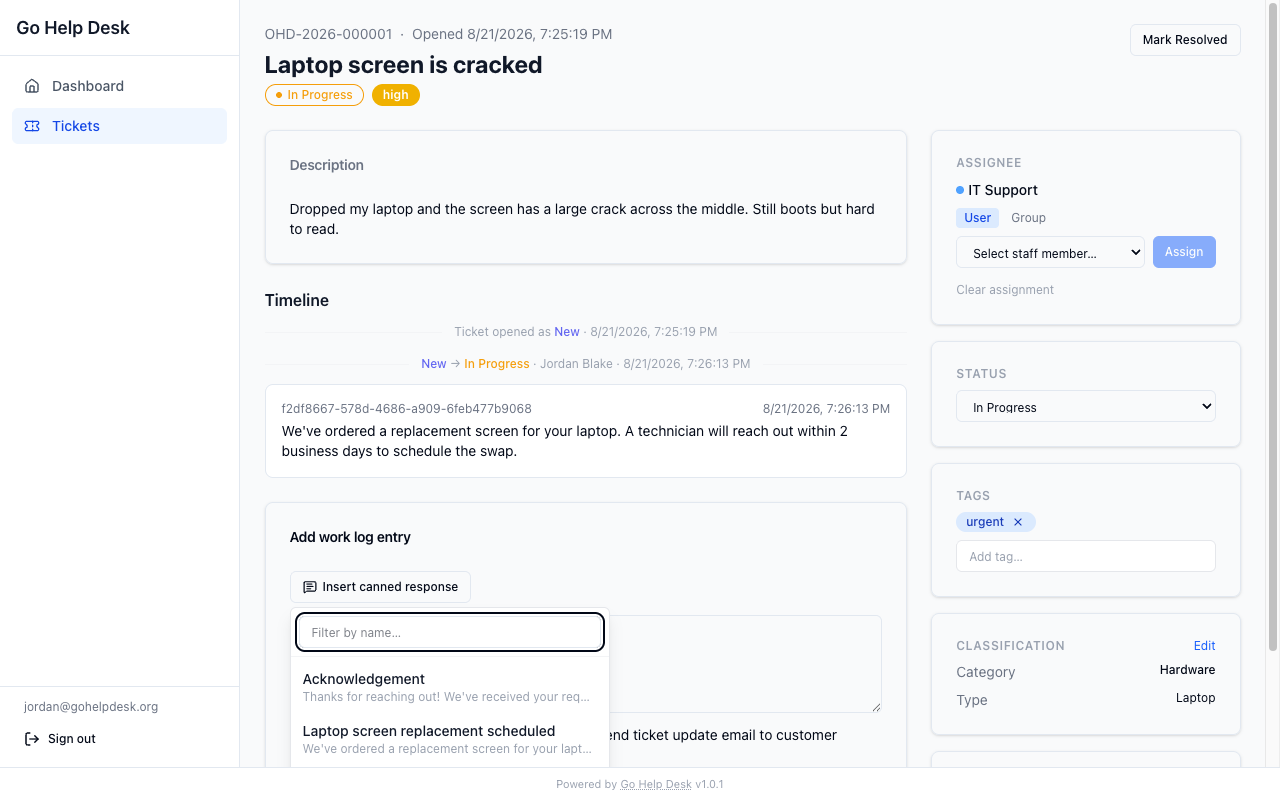
| Admin — canned responses | Reply composer — insert picker |
 |
 |
- CTI ticket classification (Category → Type → Item) with drag-to-reorder and inline rename in the admin UI
- Customizable ticket statuses — deactivate to hide from workflows, permanently delete only when empty; full status change timeline on each ticket
- Local accounts, TOTP MFA, and SAML 2.0 SSO
- Role-based access (Admin / Staff / User)
- Full user management — edit profile, role, group membership; disable/enable accounts; reset MFA and password; delete accounts
- Groups — named pools of staff; tickets can be assigned to a group and any member can act on them
- Group scoping tied to CTI categories (a group is only assigned tickets it owns)
- CTI-linked group management — assign groups directly from the CTI editor per category or type
- Custom fields — admin-defined fields (text, textarea, number, select) assigned per CTI node; values stored normalized for filterability; editable by staff after creation
- Tags — free-form labels on tickets; staff create tags on first use (stored lowercase); admins can deactivate or restore tags
- Canned responses — reusable reply templates scoped globally, by category, or by category and type; staff insert them into replies with one click
- Linked tickets (related, parent/child, duplicate, caused-by)
- Live ticket search — tracking number (prefix), plus relevance-ranked full-text search across subject and description (Postgres FTS, word-prefix matched as you type); staff/admin can jump directly to a ticket by tracking number or UUID
- Email and webhook notifications
- Optional SLA tracking
- Configurable branding — site name and logo upload (PNG, SVG, JPG, GIF; auto-scaled to 320 × 64 px) via the admin UI
- REST API with API key and OAuth2 client-credential auth
- MCP server for AI assistant integration
- WASM plugin system (sandboxed)
- Guest ticket submission — a visitor files a ticket at
/submit, gets a tracking number, and receives a per-ticket link to read the thread and reply without an account. Off by default; enable under Admin → Settings. - File attachments (PDF, DOCX, XLSX, TXT, LOG, JPEG, PNG, BMP; 25 MB max; images auto-recompressed; optional ClamAV virus scanning)
git clone https://github.com/PubliciaLLC/go-help-desk
cd go-help-desk/docker
cp .env.example .env   # set SESSION_SECRET, JWT_SECRET, BASE_URL
docker compose up -d
Open http://localhost:8080. On a fresh database the app redirects to /setup, where you create the first admin account. The setup route is permanently disabled once any user exists.
Environment variables control infrastructure; feature flags (SAML, MFA, SLA, guest submission) and branding are managed through the Admin → Settings UI and stored in the database.
| Variable | Required | Default | Description |
|---|---|---|---|
DATABASE_URL |
yes | — | postgres://user:pass@host/db?sslmode=disable |
BASE_URL |
yes | — | Public URL (e.g. https://helpdesk.example.com) |
SESSION_SECRET |
yes | — | Random secret ≥ 32 chars |
JWT_SECRET |
yes | — | Random secret ≥ 32 chars |
HTTP_PORT |
8080 |
Listen port | |
SMTP_HOST |
— | Enables email notifications when set | |
SMTP_PORT |
587 |
||
SMTP_USER |
— | ||
SMTP_PASSWORD |
— | ||
SMTP_FROM |
— | ||
ATTACHMENT_DIR |
/data/attachments |
Attachment storage path | |
CLAMAV_ADDR |
tcp://clamav:3310* |
ClamAV daemon address. The Docker Compose setup runs ClamAV automatically and wires this up. For bare-metal / Kubernetes installs, set this to your own daemon address; leave it unset to disable scanning. | |
AUTH_RATE_LIMIT_PER_MINUTE |
10 |
Failed password attempts per account per minute before a 429. 0 disables it, and also disables the signup limit. In-process: a restart clears the counters and N replicas multiply the budget by N. |
|
APP_ENV |
production |
Set to development for verbose logging |
|
LOG_LEVEL |
info |
debug, info, warn, error |
* In Docker Compose,
CLAMAV_ADDRis set automatically. Theclamavservice runs alongside the app on a private internal network. You do not need to set this variable yourself.Note: SAML, MFA, SLA and guest submission are toggled in the Admin UI. The matching environment variables still exist and set the value the instance starts with; the Admin UI setting takes precedence once it has been saved. Changing an auth-related setting requires a signed-in administrator — an API key cannot, whatever scopes it holds.
Every API key and OAuth client created through the admin UI stops working.
Scopes are enforced from 1.2.0, and the 1.1.1 UI created credentials with an
empty scope list, which now grants nothing. Re-issue them with the scopes they
need — GET /api/v1/admin/scopes lists what is available, and the credential
pages show "None" against the ones that are dead. Credentials created directly
through the API with scopes keep working.
Everyone is signed out once. Sessions moved server-side, so cookies issued by an earlier version cannot be validated. Session lifetime is also now 7 days rather than 30.
Changing SAML, OIDC, MFA or signup settings now requires a signed-in
administrator; an API key cannot, whatever scopes it holds. The refusal is
403 session_required. Each of those settings is a route to a session:
repoint the identity provider, or switch on open registration, and an attacker
signs in as somebody.
Notification email no longer contains ticket content. This is the change your users will notice. A reply notification used to carry the reply text and the ticket subject. It now says what happened, names the ticket by its tracking number, and links to it:
Subject: There is a new reply on [GHD-2026-000001]

There is a new reply on your ticket.

Ticket: GHD-2026-000001

Read it here:
https://help.example.com/tickets/…
Mail leaving the help desk is sent from the operator's domain, so anything in it is said with the operator's reputation behind it — and anyone who can file a ticket chooses that text. A ticket subject of "Your account is suspended, call 555-0100" was previously delivered verbatim, from you, to an address the sender picked. The content stays in the application now, behind the access rules that already govern it. The recipient's own address is written bare, with no display name, for the same reason.
Guest tickets get a per-ticket link instead, so a recipient with no account can still read the thread. The link is replaced whenever the ticket changes in a way the guest is told about — a reply to them, a status change, a resolution, a reopen — and revoked when the ticket closes. Internal notes, assignment and reclassification leave it alone, because nothing tells the guest about those and replacing a link nobody is told about locks them out.
Guest email addresses are validated too. Nothing checked them before either.
A guest address that is not a single bare address is now refused with 400, and
the stored value is normalised. No ticket meets this rule today — guest
submission has never been reachable, so no guest address has ever been stored
through it — but it is the rule it will meet.
Email addresses are validated, and a bad one answers 400. Nothing validated
them before 1.2.0 — mail.ParseAddress lived only in the mail sender, and
User.Validate checked that the address was non-empty and nothing else. So an
administrator could create or edit a user with an address no mailer could ever
deliver to, and it became a real account and a login identity. Self-signup
behaved differently and no better: the address was written to
pending_registrations, then the mailer refused it and the caller got a 500
— or, with SMTP not configured, a 202 and a pending row nobody could ever
verify.
Three endpoints now answer 400 with the code bad_request where they used to
accept the value: POST /api/v1/auth/signup (previously 202),
POST /api/v1/admin/users (previously 201) and
PATCH /api/v1/admin/users/{id} (previously 200). The last one also refuses
an edit to an account whose stored address does not pass — an account created
before 1.2.0 may hold one. Send a corrected email in the same request. Only
display_name, email and role go through that check: disabling an account
and resetting its MFA still work regardless, so a bad stored address never
stops you locking someone out.
New tickets get a different tracking-number prefix. Up to 1.1.1 the prefix
was hardcoded OHD; from 1.2.0 it is a setting that defaults to GHD. Existing
tickets keep the numbers they have — nothing is rewritten — so an instance that
upgrades ends up with OHD-2026-000123 and GHD-2026-000124 side by side. Set
Admin → Settings → Tracking number prefix back to OHD before opening new tickets if
you would rather keep one series. A prefix is 1–8 upper-case letters or digits.
A Content-Security-Policy is now sent on every response. In full:
default-src 'self'; script-src 'self'; style-src 'self' 'unsafe-inline';
img-src 'self' data:; font-src 'self'; connect-src 'self';
frame-ancestors 'none'; base-uri 'none'; form-action 'self'
So: an asset loaded from another host stops loading — a logo set to an external URL is the likely one — the app can no longer be embedded in an iframe, and a form cannot post anywhere but back to the instance. Self-hosted assets are unaffected. An uploaded logo is served under a stricter policy of its own.
Webhook targets on private addresses are refused. Loopback, RFC1918,
link-local, unique-local, multicast and the unspecified address, plus
carrier-grade NAT (100.64.0.0/10), IETF protocol assignments
(192.0.0.0/24), benchmarking (198.18.0.0/15), reserved space
(240.0.0.0/4) and NAT64 (64:ff9b::/96). IPv4-mapped IPv6 forms are
unwrapped first, so they cannot be used to slip past. Saving a new webhook on one of those is refused with a
visible error; delivery checks again at the moment it dials, so a hostname that
resolves to a private address, a redirect to one, and DNS rebinding are all
caught as well.
The quiet part is your existing hooks. One pointing at something on your own network — an internal n8n, a Mattermost on the same LAN — stops being delivered on upgrade, and the failure is swallowed: nothing in the UI, no delivery record. Check your webhook targets before upgrading. Move them to an address the server reaches over the public network, or put a proxy in front. SAML metadata and OIDC discovery are deliberately not address-guarded, since a self-hosted identity provider on a private network is normal.
Ticket tags are staff-only. Listing, adding and removing tags on a ticket now require Staff or Admin. A reporting user could previously read the classification staff had written about their own ticket, delete it, and add tags of their own to the global list.
A wrong TOTP code now counts. Five failures lock the account for 15 minutes. The count lives on the user row rather than in memory, so it survives a restart and is not multiplied by the replica count.
The website carries the same notes at https://gohelpdesk.org/docs/upgrading-1.2.0.
The REST API is documented informally by the handler source at backend/internal/server/. Key endpoints:
| Endpoint | Auth | Description |
|---|---|---|
GET /api/v1/site |
none | Public branding info and app version |
GET /api/v1/logo |
none | Serve the uploaded logo file |
POST /api/v1/admin/settings/logo |
admin | Upload a logo (multipart, field logo) |
DELETE /api/v1/admin/settings/logo |
admin | Remove the logo |
GET /api/v1/setup/status |
none | Whether first-run setup is needed |
POST /api/v1/setup |
none (once) | Create the first admin account |
POST /api/v1/auth/local/login |
none | Session login |
GET/POST /api/v1/tickets |
session / API key | List or create tickets. The list takes ?limit= (default 100, maximum 200) and ?offset=. |
GET/PATCH /api/v1/tickets/{id} |
session / API key | Get or update a ticket |
GET /api/v1/groups |
staff / admin | List groups (for ticket assignment) |
GET /api/v1/tags?q= |
staff, admin | Active tags (autocomplete). Tags carry internal classification, so reporting users cannot read them. |
GET/POST /api/v1/admin/groups |
admin | Manage groups |
GET/POST /api/v1/admin/groups/{id}/members |
admin | Manage group membership |
GET /api/v1/admin/scopes |
admin | The scope catalogue a credential can be granted |
GET/POST /api/v1/admin/api-keys |
admin | Manage API keys. scopes is required on create. |
GET/POST /api/v1/admin/oauth-clients |
admin | Manage OAuth2 clients. scopes is required on create. |
GET /api/v1/admin/tags |
admin | All tags including deactivated |
DELETE /api/v1/admin/tags/{id} |
admin | Deactivate a tag |
POST /api/v1/admin/tags/{id}/restore |
admin | Restore a deactivated tag |
GET/POST /api/v1/tickets/{id}/tags |
staff / admin | List or add tags on a ticket |
DELETE /api/v1/tickets/{id}/tags/{tagId} |
staff / admin | Remove a tag from a ticket |
GET /api/v1/categories |
none | Active categories (for ticket creation) |
GET /api/v1/categories/{id}/types |
none | Active types for a category |
GET/POST /api/v1/tickets/{id}/attachments |
session / API key | List or upload attachments |
GET /api/v1/tickets/{id}/attachments/{attachId} |
session / API key | Download an attachment |
OAuth2 client credentials (POST /api/v1/auth/oauth/token) produce short-lived JWTs for machine-to-machine access.
Requires Go 1.26+, Node 24+, PostgreSQL 17+.
# backend
cd backend && go mod download
go run ./cmd/server

# frontend (in a separate terminal)
cd frontend && npm ci && npm run dev
The Vite dev server proxies /api and /mcp to :8080.
Tests:
# Unit tests (no DB required)
cd backend
go test ./internal/domain/... ./internal/config/... ./internal/middleware/... ./internal/server/notify/...

# Integration tests via Docker Compose
docker-compose -f docker/docker-compose.yml --profile test run --rm test

# Integration tests from the host (port 5432 is exposed)
TEST_DATABASE_URL=postgres://helpdesk:helpdesk@localhost:5432/helpdesk?sslmode=disable go test ./...
Schema changes: edit queries/*.sql, add a migration under internal/database/migrations/, run sqlc generate. Never hand-edit internal/dbgen/.
To override the version string at build time:
go build -ldflags "-X github.com/publiciallc/go-help-desk/backend/internal/version.Version=1.0.0" ./cmd/serverGNU Affero General Public License v3.0. Modifications — including hosting as a service — must be released under the same license.