Repository navigation
Conversation


A reply that ended because the model failed showed as failed only while it
streamed; reopen the chat and it looked like an ordinary answer. The saved
message now carries the same failed flag as the stream's done event, on
streamed, non-streamed and scheduled turns alike.
A phone paired on the home network reaches GAIA on its own listener, so the
server has to tell it apart from the PC and from mobile access. Requests on
that listener are the paired device whose token they carried, or nobody; on
the main listener the PC is decided exactly as before.

- principal() names the caller (pc, device:<id> or tunnel), and
  require_local_pc, is_local_pc and the device guards read it.
- refuse_on_device_listener keeps a route on the PC for paired devices.
- audit_approval records who approved a tool call, goal, schedule or folder.
- export_route_access writes each route's guard class for the phone app, so
  it can say "change this on your PC" instead of offering a control that
  would fail.
GAIA can now be used from a phone on the same Wi-Fi as the PC. The PC shows a
QR code; the phone scans it, pins the PC's certificate and waits until the PC
allows it. Each device has its own token, which the PC can revoke at any time.
Pairing is off until device_pairing is set in ~/.gaia/config.json.

- gaia.ui.devices: the single-use pairing window, the device table (tokens
  stored hashed), the owner-only key folder and certificate, and a second
  uvicorn listener whose device auth runs before the app.
- /api/devices: turn the listener on or off, open a pairing window, allow,
  unpair and reset from the PC; pair and unpair itself from the device.
- A paired device can't change what stays on the PC: mobile access, provider
  keys and connection settings, connector setup and grants, agent installs,
  logs and the troubleshooting report, the memory profile scan and admin,
  documents added by path or folder, and opening files on the PC's screen.
- Device pairings reach only the PC's own windows, and tool, goal, schedule
  and folder approvals are written to the audit log with who made them.
A phone browsing files, opening a preview or an image, or searching sees only
the folders the chat was given, never the rest of the PC's home folder, and
never a key, .env or credential file even inside those folders. Previews on a
phone are capped at 50 lines. Documents are added to the library on the PC; a
phone opens a cited document through file preview.

- Browse, preview, image and search take the chat's session_id on the device
  listener, and refuse a path outside its folders before touching the file.
- secret_read_refusal() is the one copy of the read policy the agent's read
  tools and these routes share.
Every backend started through `gaia.ui.server.main()` completed TLS with a
phone and then hung up without answering, so pairing failed on every real
install. main() injects truststore into `ssl`, which made the listener's
server context a truststore one; that context checks the peer's certificate
after each handshake, and a phone sends none. The test harness never injects
truststore, so it answered normally.

- The listener's server context is now a stock `ssl.SSLContext`, built
  through `gaia.tls.stock_ssl_context`, which the injection doesn't reach.
- The listener runs one in-memory handshake before it binds, so a context
  that can't serve fails the start and the status says so instead of
  reporting listening.
The device listener let an allowed device call about 210 of the backend's
routes, from mailbox sends to wiping memory. It now refuses every route it
doesn't list, so a route stays on the PC until a change opens it to devices
on purpose; each later feature widens the list for its own routes.

- DEVICE_ROUTES lists the phone's core: its own unpairing, health and
  status, chats and their messages, sending a turn and its stream, stopping
  it and answering its prompts, and reading schedules and tasks.
- The gate lets a request through only when every route that matches it is
  listed, so a listed template never opens a sibling such as
  /api/sessions/search. Anything else is a 403 with code pc_only.
- routeAccess.gen.ts marks every unlisted route not_on_listener, and the
  device API, the listener's security model and device_pairing are
  documented.
The phone's chat list stays current through the same session event stream
the PC's windows read; only the PC's own windows get the pairing and
security events on it.
DELETE /api/devices/me also matches DELETE /api/devices/{device_id}, which
only the PC may call, so the gate refused a device unpairing itself. A
sibling route that refuses devices with its own guard no longer blocks a
listed one; an unlisted sibling that would serve a device still does.
Every Agent UI route now declares what it returns, so the OpenAPI schema
describes the real responses and clients get generated types instead of
guessing at dict shapes. Undeclared keys still pass through, so a newer
producer never turns a reply into a 500.

- WireModel is the base for these models; api.schemas.json and api.gen.ts
  are regenerated from them.
- GET /api/providers/list is a read-only summary of each provider (set up,
  blocked, whether the AMD gateway answers) with no key, key hint or address,
  for a client that only needs to show the choices.
On a PC with device_pairing on, Settings gains a Devices page: start or
stop listening on the home network, show a QR code to pair a phone, then
Allow, Remove or reset its pairing. A newly paired phone shows in the
notification center until the PC decides. With pairing off, nothing changes.

- The phone app reuses the web UI's wording and logic: chat, tool-step,
  setup, memory and settings helpers move into DOM-free *.core.ts modules,
  and the en and ar catalogs gain the strings both apps show.
- A failed reply stays marked failed after the chat is reopened.
- Calls that read files for a chat pass its session_id.
The pairing models and /api/devices routes were missing from
api.schemas.json and api.gen.ts, so the schema drift test failed.
The route-doc coverage test requires every real route to appear in agent-ui.mdx.
The link test read the phone app's parser and config, which arrive with the
phone app; it now decodes the link itself.
 github-actions
Bot
added
documentation
2 of 6 tasks
# Conflicts:
#	src/gaia/ui/routers/sessions.py
# Conflicts:
#	src/gaia/apps/webui/src/components/MessageBubble.tsx
#	src/gaia/apps/webui/src/components/ResourceMonitor.tsx
#	src/gaia/apps/webui/src/components/render/ConnectAccountCard.tsx
#	src/gaia/apps/webui/src/utils/chatStream.ts
The paired, last-connected and failed rows passed t() results into other t() calls; they now pass refs so each sentence is glossed once.

This branch has not been deployed
This file contains hidden or bidirectional Unicode text that may be interpreted or compiled differently than what appears below. To review, open the file in an editor that reveals hidden Unicode characters.
Learn more about bidirectional Unicode characters
Sign up for free
to join this conversation on GitHub.
Already have an account?
Sign in to comment


Add this suggestion to a batch that can be applied as a single commit.This suggestion is invalid because no changes were made to the code.Suggestions cannot be applied while the pull request is closed.Suggestions cannot be applied while viewing a subset of changes.Only one suggestion per line can be applied in a batch.Add this suggestion to a batch that can be applied as a single commit.Applying suggestions on deleted lines is not supported.You must change the existing code in this line in order to create a valid suggestion.Outdated suggestions cannot be applied.This suggestion has been applied or marked resolved.Suggestions cannot be applied from pending reviews.Suggestions cannot be applied on multi-line comments.Suggestions cannot be applied while the pull request is queued to merge.Suggestion cannot be applied right now. Please check back later.
Summary
Adds Settings › Phones and tablets, where the PC turns on the device listener, shows the pairing QR code, and allows or removes each phone. It also moves the web UI's DOM-free logic into
*.core.tsmodules a phone app can reuse.Why
PR 2 adds pairing on the server; this is where a user turns it on and manages devices. The
*.core.tssplit lets a phone client reuse the web UI's strings, formatting and API logic instead of copying them; most of the deleted lines reappear unchanged in those modules.Linked issue
Refs #6385. Depends on #8337.
Changes
device_pairingis on): start the listener, QR code and copyable link, Allow, Remove, reset pairing, in English and Arabic.*.core.tsmodules extracted from existing components, with no behavior change.Test plan
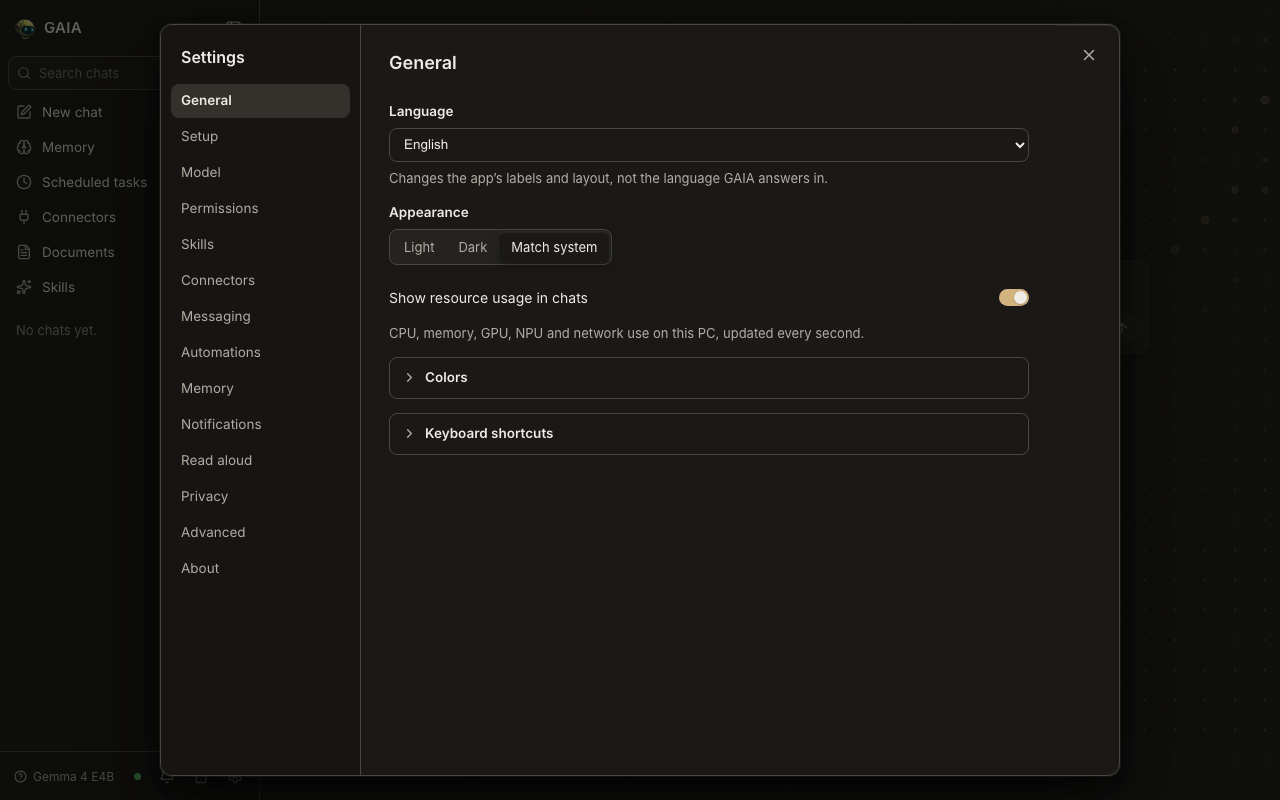
cd src/gaia/apps/webui && npm ci && npx tsc --noEmit -p . && npm testnpm run test:rtl(Settings › Phones and tablets in English and Arabic)device_pairingon: open Settings › Phones and tablets, turn on Allow paired devices to connect, check the QR code and link appear; with it off, the section is absentEvidence
device_pairingoff (the default) the entry is absent. After: pairing open, a phone waiting for approval, and a paired phone. Device routes are simulated in the after shots.Before (off):