
English · Türkçe · 简体中文 · 日本語 · 한국어 · Español · Deutsch · Français · Português (Brasil) · Русский





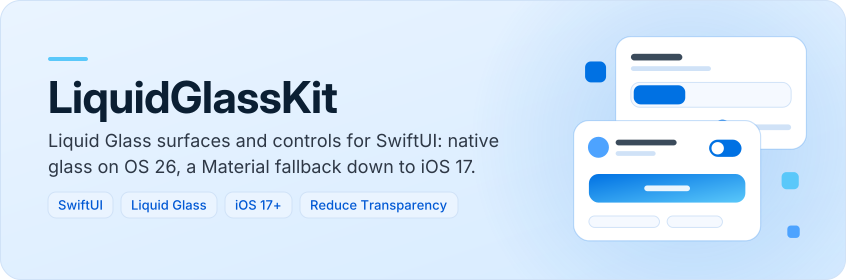
LiquidGlassKit is a SwiftUI package for apps that want Liquid Glass surfaces and controls but
still support systems without them. On iOS, macOS, tvOS and watchOS 26 it draws with SwiftUI's
native glassEffect; on earlier versions (back to iOS 17, macOS 14, tvOS 17 and watchOS 10)
and on visionOS it draws a Material blur with a tint, an edge highlight and a shadow. You
write the same code for every OS.
| Gallery (light) | Gallery (dark) | Native vs fallback |
|---|---|---|
 |
 |
 |
- One modifier, two paths —
glassSurfacepicks native glass or theMaterialfallback at run time, andglassRenderingMode(.fallback)forces the fallback when you want one look everywhere. - Ready-made controls — buttons, a switch style, a slider, cards, text fields, a search bar, a
floating tab bar with an optional action button and tab badges, a navigation bar and a bottom
sheet, all drawn through
glassSurface. - Effects — gradient-tinted glass and animated shimmer, pulse and breathe highlights that work on both paths.
- Themes and presets —
GlassThemesets the material, shape, shadow and edge highlight for a whole view hierarchy,GlassPresetnames 14 ready-made themes, andGlassCodeExporterturns a theme tuned at run time back into Swift. - Accessibility — the fallback draws an opaque background when Reduce Transparency is on and a stronger edge when Increase Contrast is on, highlights stop with Reduce Motion, the switch and slider keep SwiftUI's VoiceOver behavior, the tab bar reports the selected tab, and the sheet closes with the escape gesture.
- No name clashes — the API avoids SwiftUI's own names (
glassEffect,GlassEffectContainer,GlassButtonStyle), so both modules can be imported in one file. - Tested rendering — Swift Testing suites run on macOS and iOS simulators in CI; offscreen renders check that every component draws its glass in the right material on the fallback path.
1. Add the package
In Xcode, choose File › Add Package Dependencies… and enter the repository URL:
https://github.com/muhittincamdali/LiquidGlassKit.git
Keep the dependency rule Up to Next Major Version starting at 2.1.0 and click Add
Package. In the next dialog, choose your app target for LiquidGlassKit and click Add
Package again.
2. Import the module
import LiquidGlassKit3. Use it
Replace the contents of ContentView.swift with this view and run the app (⌘R). A glass card
and a glass button appear over a gradient.
import LiquidGlassKit
import SwiftUI

struct ContentView: View {
    var body: some View {
        ZStack {
            LinearGradient(colors: [.indigo, .pink], startPoint: .top, endPoint: .bottom)
                .ignoresSafeArea()
            VStack(spacing: 16) {
                GlassCard {
                    Label("Hello, glass", systemImage: "sparkles")
                }
                GlassButton("Tap me", systemImage: "hand.tap") {}
            }
        }
    }
}In Xcode, choose File › Add Package Dependencies… and enter the repository URL:
https://github.com/muhittincamdali/LiquidGlassKit.git
Or add it to the dependencies in your Package.swift:
dependencies: [
    .package(url: "https://github.com/muhittincamdali/LiquidGlassKit.git", from: "2.1.0")
],
targets: [
    .target(name: "YourApp", dependencies: [
        .product(name: "LiquidGlassKit", package: "LiquidGlassKit")
    ])
]Glass needs something behind it, so place these views over an image, a gradient or scrolling
content. The views in this README are compiled and rendered by the test suite
(ReadmeExamplesTests.swift).
import LiquidGlassKit
import SwiftUI

struct NowPlayingBadge: View {
    var body: some View {
        Label("Now Playing", systemImage: "music.note")
            .padding()
            .glassSurface(.tinted(.purple), in: .capsule)
    }
}
Materials: .clear, .frosted, .tinted(Color) and .dark. Shapes: rounded rectangle,
capsule, circle and per-corner radii.
struct SignInForm: View {
    @State private var email = ""
    @State private var query = ""

    var body: some View {
        VStack(spacing: 16) {
            GlassSearchBar(text: $query, prompt: "Search")
            GlassTextField("Email", text: $email, systemImage: "envelope")
            GlassCard {
                Text("We will send you a sign-in link.")
            }
            HStack {
                Button("Cancel", role: .cancel) {}
                    .buttonStyle(.liquidGlass(size: .compact))
                GlassButton("Continue", systemImage: "arrow.right", material: .tinted(.blue)) {}
            }
        }
        .padding()
    }
}enum Screen: Hashable { case home, search, profile }
struct RootView: View {
@State private var screen = Screen.home
@State private var showsSheet = false
var body: some View {
ZStack(alignment: .bottom) {
Color.indigo.ignoresSafeArea()
GlassTabBar(selection: $screen) {
GlassTab("Home", systemImage: "house", value: Screen.home)
GlassTab("Search", systemImage: "magnifyingglass", value: Screen.search)
GlassTab("Profile", systemImage: "person", value: Screen.profile)
}
.padding()
}
.glassSheet(isPresented: $showsSheet) {
Text("Sheet content").padding()
}
}
}GlassTabBar works with any Hashable selection, and its builder supports if and for. A
tab shows a count or a short label over its icon with .badge(_:), for example
GlassTab("Profile", systemImage: "person", value: Screen.profile).badge(2). The sheet closes
when dragged down, when the dimmed background is tapped, or with the accessibility escape
gesture. It is not available on tvOS.
struct PlayerSettings: View {
    @State private var shuffle = false
    @State private var volume = 0.6

    var body: some View {
        VStack(spacing: 16) {
            GlassCard {
                VStack(spacing: 14) {
                    Toggle("Shuffle", isOn: $shuffle)
                        .toggleStyle(.liquidGlass)
                    GlassSlider("Volume", value: $volume, format: .percent)
                }
            }
            Label("Golden hour", systemImage: "sun.horizon")
                .padding()
                .glassGradient([.orange, .pink], direction: .horizontal, in: .capsule)
            GlassButton("Upgrade", systemImage: "sparkles", material: .tinted(.purple)) {}
                .glassHighlight(.shimmer, in: .capsule)
        }
        .padding()
    }
}
The switch style keeps Toggle's accessibility, and VoiceOver users adjust the slider by one
step at a time. Highlights are not drawn when Reduce Motion is on. GlassSlider is not
available on tvOS.
struct ThemedApp: View {
    var body: some View {
        RootView()
            .glassTheme(GlassTheme(material: .tinted(.indigo), shape: .roundedRectangle(cornerRadius: 12)))
            .glassRenderingMode(.automatic) // or .fallback to use the Material look everywhere
    }
}
Start from one of the 14 presets in GlassPreset.all, adjust it, and turn the result into a view
you can paste into your project:
var theme = GlassPreset.named("Ocean")?.theme ?? .standard
theme.shadowRadius = 4
let source = GlassCodeExporter().viewCode(named: "PromoCard", theme: theme)| API | What it does |
|---|---|
glassSurface(_:in:interactive:) |
Puts glass behind any view. Native glassEffect on OS 26, Material fallback elsewhere. |
GlassGroup |
Wraps GlassEffectContainer on OS 26 so nearby glass shapes blend; a pass-through elsewhere. |
GlassButton, .buttonStyle(.liquidGlass) |
Capsule glass buttons in three sizes, with pressed, disabled and destructive states. |
.toggleStyle(.liquidGlass) |
Switch with a glass track that fills with the tint when on; keeps Toggle accessibility. |
GlassSlider |
Slider on a glass track with steps counted from the lower bound and any FormatStyle. Not on tvOS. |
GlassCard |
Padded container on glass. |
GlassTextField |
Text field with optional SF Symbol and a focus ring. |
GlassSearchBar |
Capsule search field with clear and Cancel buttons. |
GlassTabBar |
Floating tab bar, generic over any Hashable selection; builder supports if and for. |
GlassTabBarAction |
Round button after the tabs for the screen's primary action. |
GlassTab.badge(_:) |
Count or short label in a red capsule over a tab's icon; a count of zero hides it. |
GlassNavigationBar |
Floating title bar with leading and trailing items. |
glassSheet(isPresented:material:content:) |
Floating bottom sheet; dismiss by drag, tap outside or the accessibility escape gesture. Not on tvOS. |
glassGradient(_:direction:intensity:material:in:interactive:) |
Glass with a gradient tint, on both rendering paths. |
glassHighlight(_:color:in:) |
Animated shimmer, pulse or breathe light over glass; off with Reduce Motion. |
GlassTheme, GlassRenderingMode |
Environment values for default material/shape/shadow, and for forcing the fallback path. |
GlassPreset |
14 named themes with display names, for pickers and settings screens. |
GlassCodeExporter |
Writes themes, materials, shapes and colors as Swift source that uses this package. |
Examples/LiquidGlassDemo is an iOS app with a component gallery,
tab bars, a sheet, a native-vs-fallback comparison and a playground that tunes a theme and shows
its code. Open LiquidGlassDemo.xcodeproj, choose an iPhone simulator and run; the
demo's README lists its screens and launch arguments. CI
builds it for every pull request and every push to main.
| Sheet (light) | Tab bars (dark) | Playground (light) | Native vs fallback (dark) |
|---|---|---|---|
 |
 |
 |
 |
Screenshots from the demo app on the iOS 27 simulator, captured with
scripts/screenshots.sh.
Reference documentation and articles:
- API reference
on GitHub Pages, built from the DocC catalog in
Sources/LiquidGlassKit/LiquidGlassKit.docc. In Xcode, Product › Build Documentation opens the same pages offline. - Release notes: CHANGELOG.md.
- Getting Started — add the package step by step and put the first glass surfaces on screen.
- Building a Screen with a Floating Tab Bar — a title bar, search field, cards, tab bar and sheet over scrolling content, in five steps.
- Rendering Paths — what users on each OS see, and how to force the fallback.
- Theming — presets, custom themes and per-component materials.
- Adding Controls and Effects — the glass switch and slider, gradient glass, highlights and the tab bar action button.
- Tuning and Exporting a Look — pick a preset, adjust a theme at run time and copy it as Swift.
| Platform | Minimum version |
|---|---|
| iOS | 17 |
| macOS | 14 |
| tvOS | 17 |
| watchOS | 10 |
| visionOS | 1 |
| Toolchain | Swift 6.0 · Xcode 26+ |
The package needs Xcode 26 or later even for older deployment targets, because the native path is compiled against the OS 26 SDK.
Sources/LiquidGlassKit/Coreholds the value types:GlassMaterial,GlassShape,GlassTheme,GlassPresetandGlassRenderingMode, andGlassCodeExporter.Sources/LiquidGlassKit/SurfaceholdsglassSurfaceandGlassGroup, the only places that call SwiftUI's glass API, and the gradient and highlight modifiers built onglassSurface.Sources/LiquidGlassKit/Componentsbuilds every control on top ofglassSurface, so the theme and the rendering mode apply to all of them.
glassSurface resolves the GlassRenderingMode from the environment against
GlassRenderingMode.isNativeGlassAvailable, an #available(iOS 26, macOS 26, tvOS 26, watchOS 26, *) check that is always false on visionOS, where SwiftUI marks glassEffect
unavailable. Each material maps to both paths:
GlassMaterial |
Native path | Fallback path |
|---|---|---|
.clear |
Glass.clear |
.ultraThinMaterial |
.frosted |
Glass.regular |
.thinMaterial |
.tinted(c) |
Glass.regular.tint(c) |
.regularMaterial + color overlay |
.dark |
Glass.regular.tint(black) |
.ultraThickMaterial + black overlay |
swift test                                                   # macOS
xcodebuild test -scheme LiquidGlassKit \
  -destination 'platform=iOS Simulator,name=iPhone 17 Pro'   # iOS Simulator
The Swift Testing suites cover material and shape logic, theme and gradient clamping (including
NaN), rendering mode resolution, the tab builder, the sheet's dismissal thresholds, slider
snapping for unusual steps and ranges, highlight timing, preset lookup, and the exporter's
output, three samples of which are compiled in the test target. Offscreen renders on the
fallback path check that every component draws its glass in the theme's material, that an
explicit material overrides the theme, that labels on dark glass are white and destructive
labels red, that the sheet dims the background only while presented, and that Reduce
Transparency draws an opaque background. CI runs the suite on macOS, on an iOS 26 simulator and
on an iOS 18.6 simulator, where only the fallback path exists, and builds the library for every
platform in Package.swift.
ImageRenderer does not capture the blur, and native glass only in part, so the tests check the
fallback's tint and coverage, and that each component renders differently on the native path
than on the fallback path; they do not check the final glass look.
No release after 2.1.0 is scheduled yet. Bug reports and feature requests are tracked in issues.
Contributions are welcome. Read the contributing guide and the code of conduct before opening a pull request. Report security issues privately as described in the security policy.
Released under the MIT license. See LICENSE.