https://chrome.google.com/webstore/detail/youtubescreenshot/kphdmkjcpejagaaijollpbmikeeehghi
https://addons.mozilla.org/firefox/addon/youtubescreenshot-ydk/
YouTubeのスクリーンショットを簡単に取れる、Chrome / Firefox 向けの拡張機能です。
- 適当なYouTubeの動画を開きます。ライブ配信でもOKです。
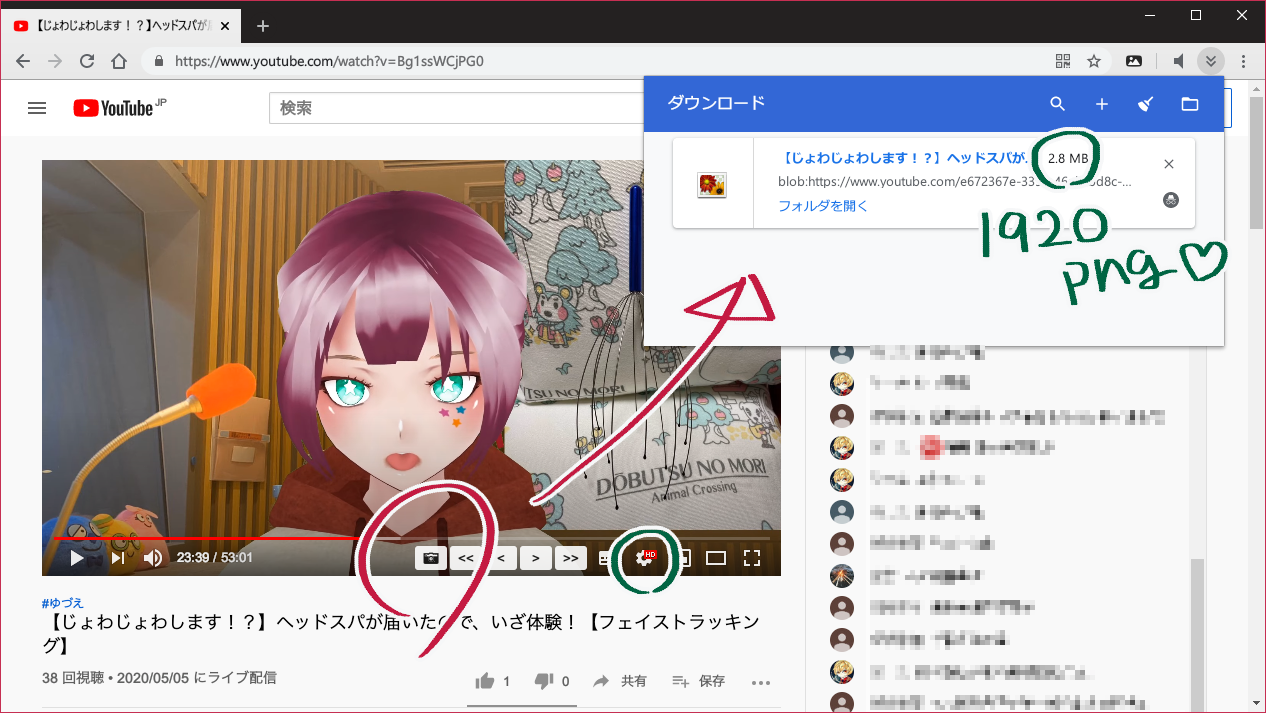
📷ボタンをクリックすることで、押したときに写っていた映像を「画像(PNGファイル)」としてダウンロードされます。わーい。
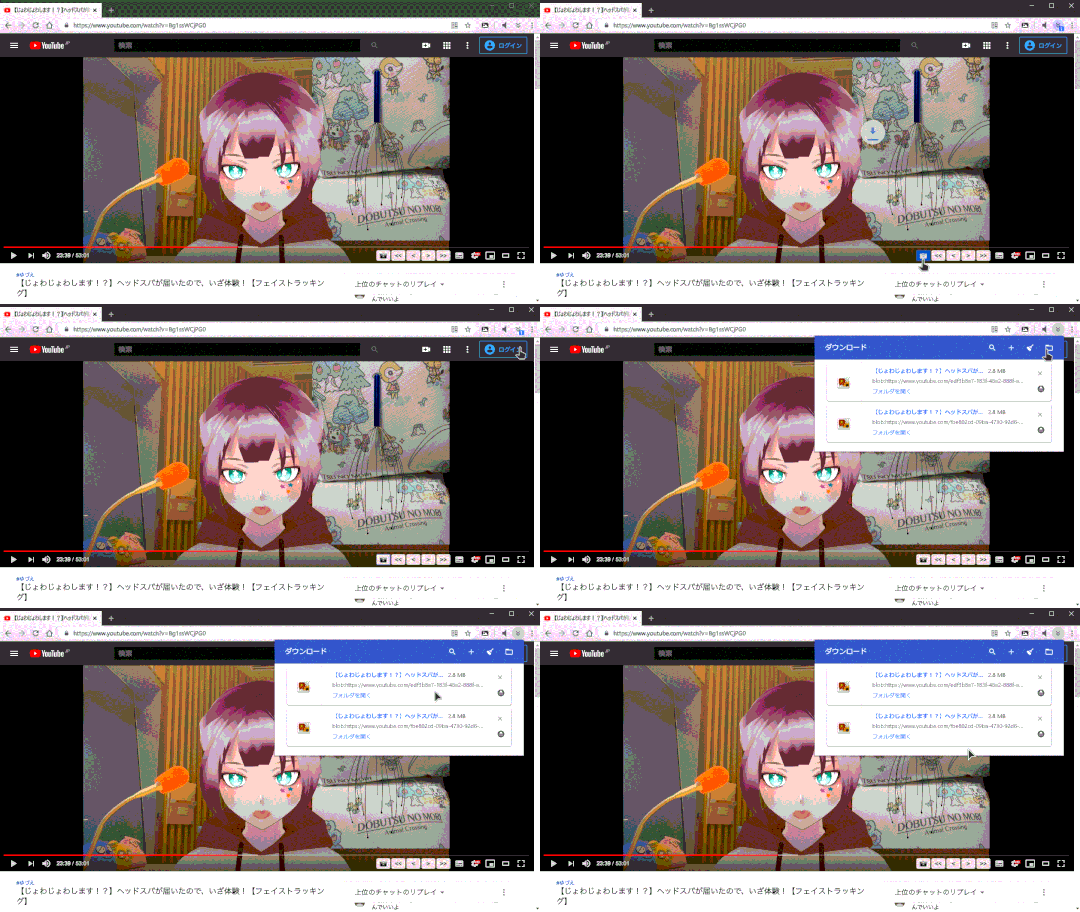
- 動画を一時停止させてから
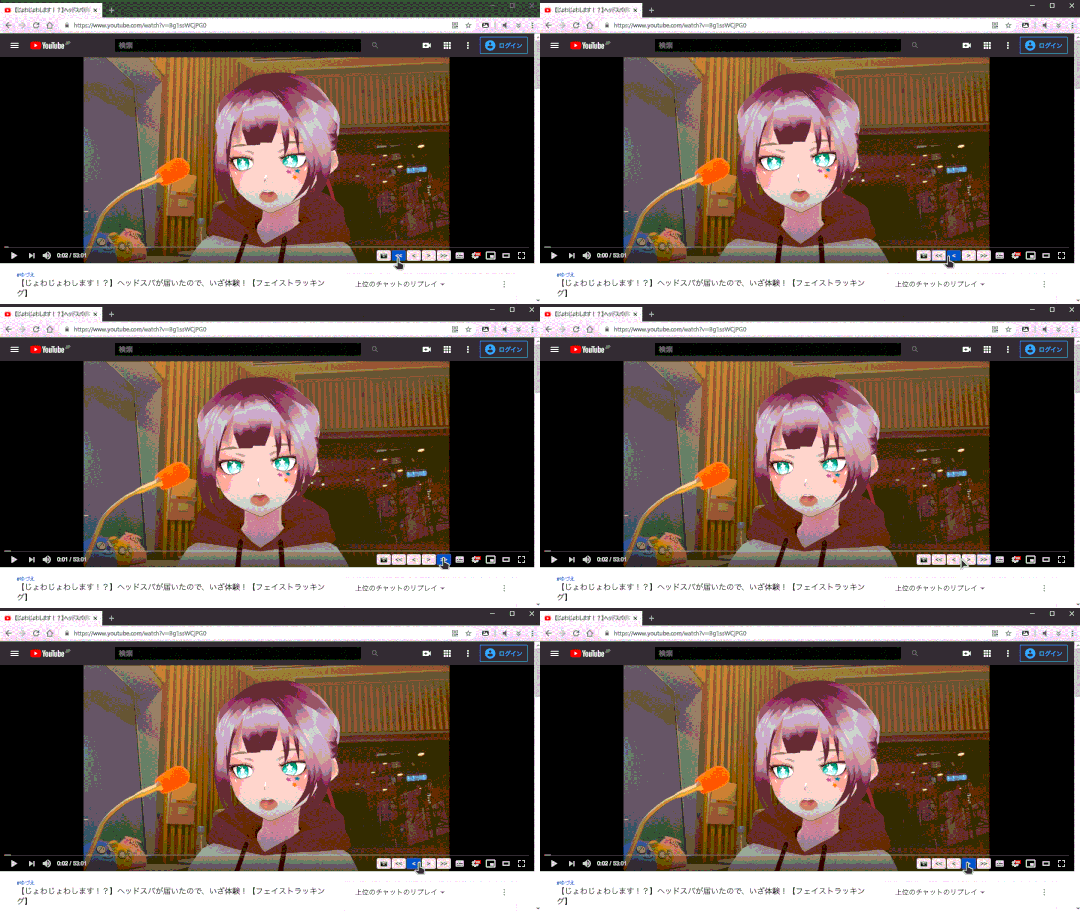
📷ボタンをクリックすることで、好みのスクショがダウンロードできるよ。 <>ボタンをクリックすると、0.1秒ずつ動かせるよ。<<>>ボタンをクリックすると、1秒ずつ動かせるよ。
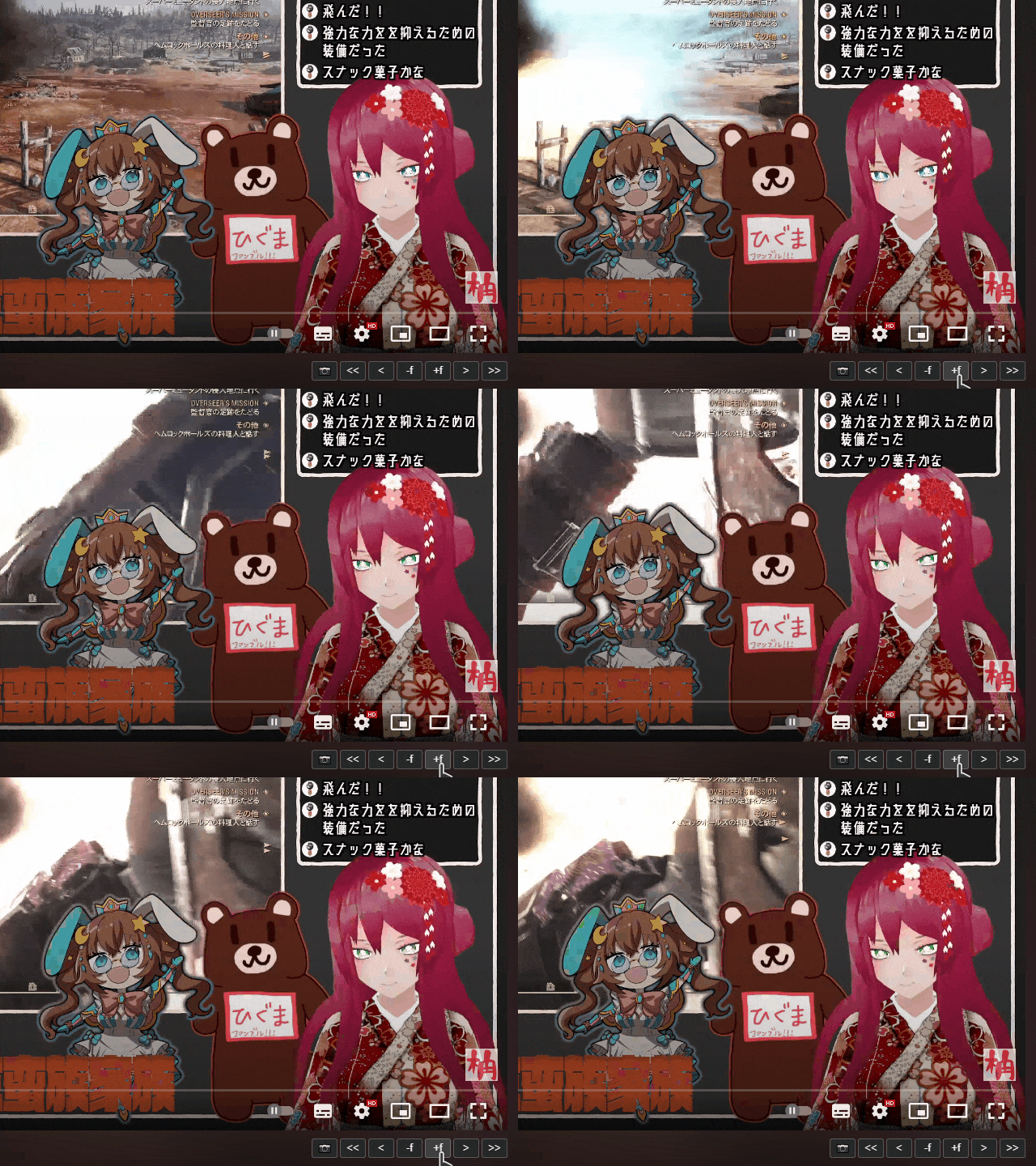
-f+fボタンをクリックすると、約1フレームずつ動かせるよ(正しく1F移動するとは限らないので注意!!)。
- YouTubeの機能だけど ← キーと → キーを押すと5秒ずつ動かせるんだって。
ショートカットを設定できるようになりました!
ボタンと同じ操作(スクリーンショット・シーク)を割り当てられます。
ただし Alt+A など一部は利用できないっぽいです……😖
Google Chrome: chrome://extensions/shortcuts
Mozilla Firefox: about:addons > 歯車アイコン > 拡張機能のショートカットキーの管理
A browser extension for Chrome / Firefox that makes it easy to take screenshots on YouTube.
- Open any YouTube video. Live streams work, too!
- Click the
📷button to download the frame that was showing at that moment as a PNG image. Yay!
- Pause the video before clicking the
📷button to get the exact shot you want. - Click the
<>buttons to move by 0.1 seconds. - Click the
<<>>buttons to move by 1 second.
- Click the
-f+fbuttons to move by roughly 1 frame (note: it might not move by exactly 1 frame every time!).
- This is a built-in YouTube feature, but pressing the ← and → keys seeks by 5 seconds.
You can set up custom shortcuts!
They map to the same actions as the buttons (screenshot and seek).
However, some combinations like Alt+A don't seem to work... 😖
Google Chrome: chrome://extensions/shortcuts
Mozilla Firefox: about:addons > gear icon > Manage Extension Shortcuts